Code · Explain
Explain any code in plain English
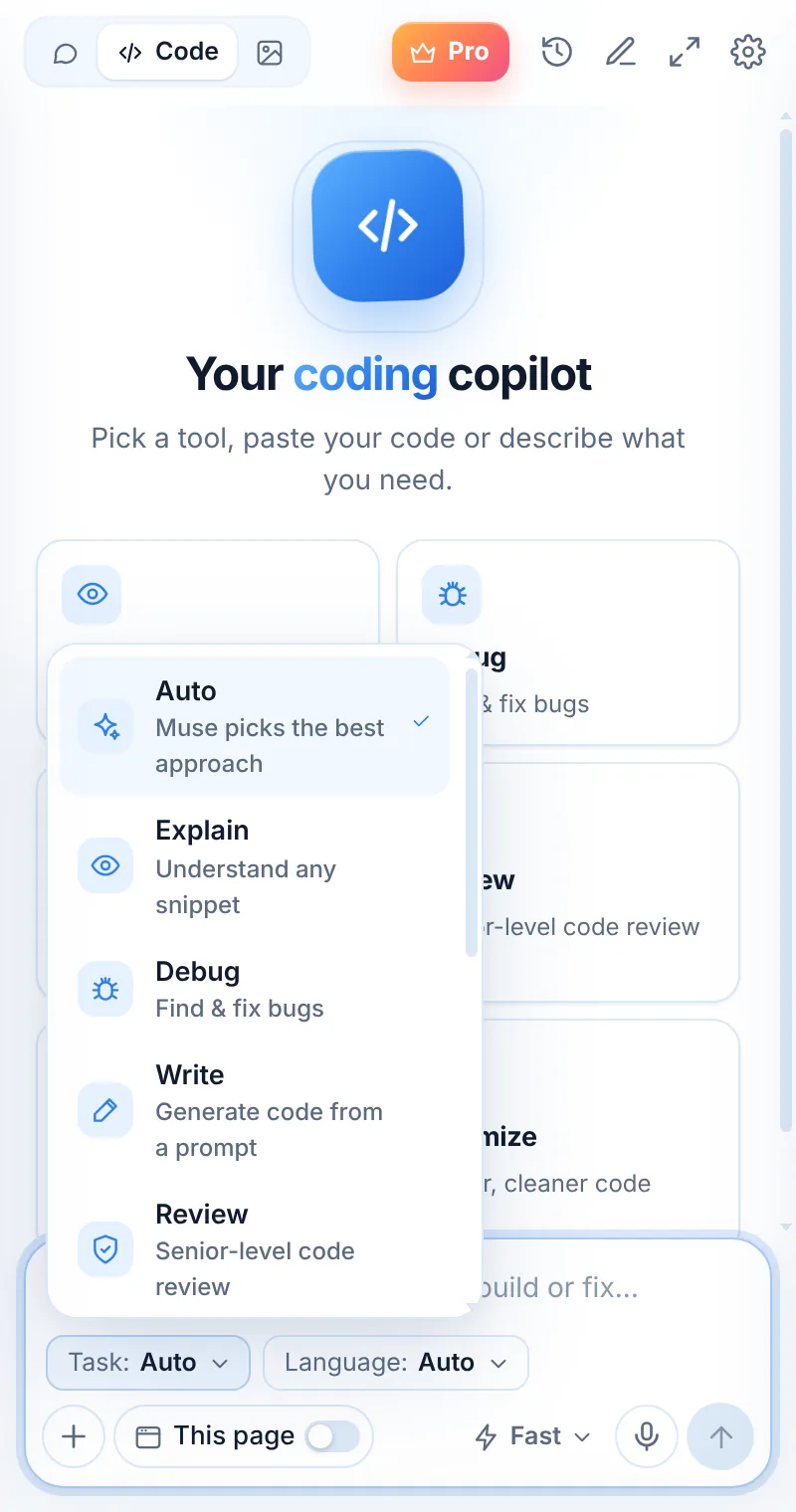
Paste a snippet — or select it on any page and right-click “Explain this code” — and Muse walks you through what it does, line by line.
Free plan · 2 requests a dayNo account neededChats stay in your browser
Example
From “what is this?” to “I get it”
Explain mode answers at the level you ask: a one-line summary, a line-by-line walkthrough, or an explanation for a beginner.
- Line-by-line walkthroughs
- Explains patterns, libraries and idioms
- Ask “explain like I’m new to this”
- Right-click “Explain this code” on any site
What does this do?
const debounce = (fn, ms) => {
  let t;
  return (...a) => { clearTimeout(t); t = setTimeout(() => fn(...a), ms); };
};
It’s a debounce: it returns a wrapper that waits ms milliseconds after the last call before running fn. Each new call cancels the previous timer — great for search boxes and resize handlers.
How to use it
Explain in three steps
Switch to Code
Open Muse and tap Code in the mode switcher.
Pick “Explain”
Choose the task and, optionally, the language.
Paste and send
Paste your code or describe what you need — then ask follow-ups.
Try these prompts
Things to ask
Explain this function line by lineExplain this like I’m new to ReactWhat design pattern is this?What does this Bash one-liner do?
FAQ
Explain: common questions
Does Muse explain code on GitHub?
Yes. Select the code on GitHub or any docs page, right-click and choose “Explain this code”. Muse opens with the explanation.
Can it explain regular expressions and SQL?
Yes — for those, the dedicated Regex and SQL tools give even more focused answers.
Keep exploring
Related pages

Your AI assistant is one click away
Add Muse to Chrome for free. Two AI requests a day on the free plan — upgrade only if you need more.