AI code generator — describe it, get the code
Describe what you want to build and Muse writes clean, commented code in your language — functions, components, scripts and snippets.
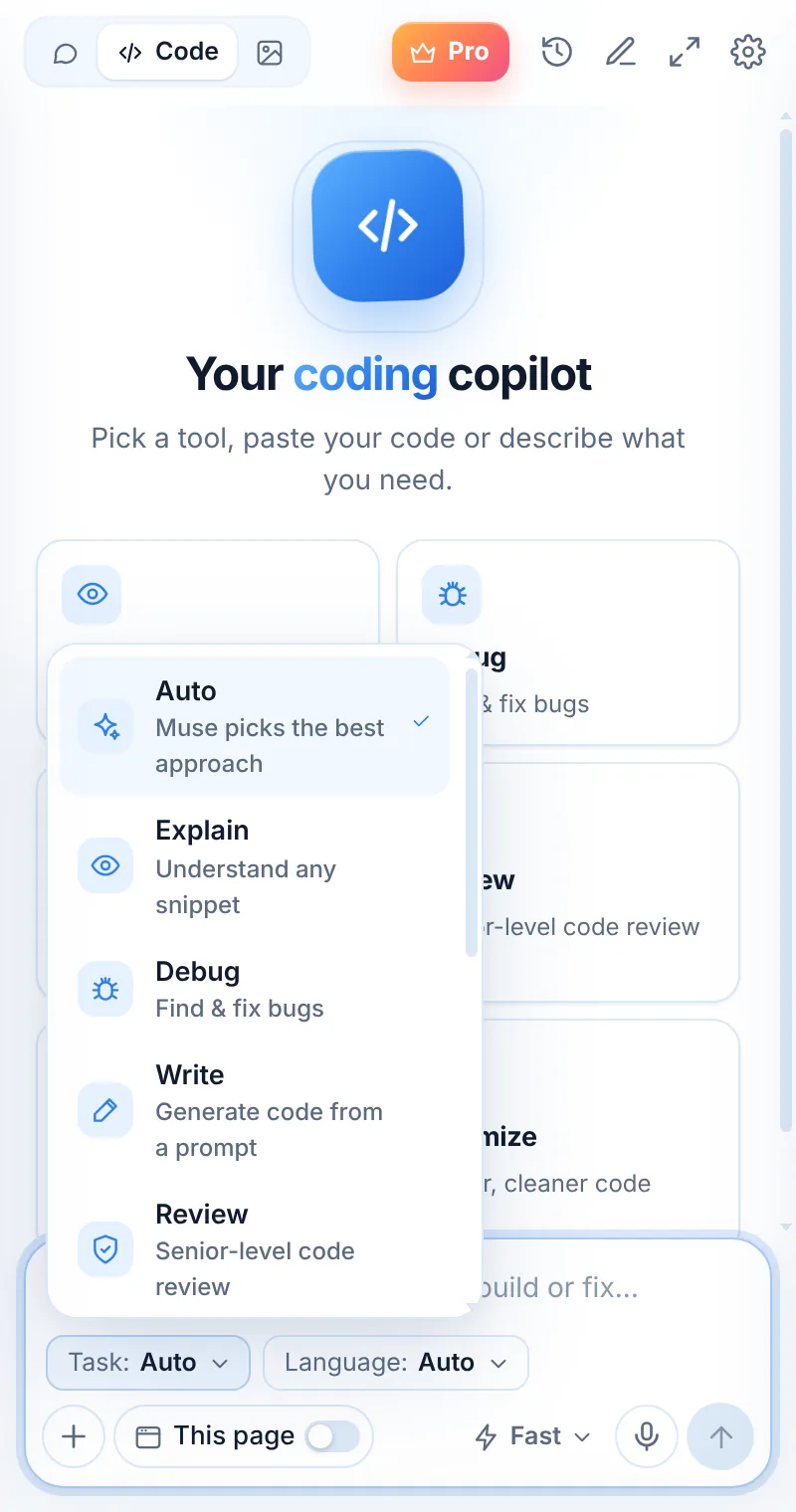
From an idea to working code
Write mode turns a plain-language request into code with sensible names, edge cases handled and short comments.
- Functions, classes, components and scripts
- Pick the language or let Muse choose
- Ask for tests or docs in the same chat
- Iterate: “now make it async”
def dedupe_emails(emails):
    seen, out = set(), []
    for e in emails:
        key = e.strip().lower()
        if key not in seen:
            seen.add(key); out.append(e)
    return out
Write in three steps
Switch to Code
Open Muse and tap Code in the mode switcher.
Pick “Write”
Choose the task and, optionally, the language.
Paste and send
Paste your code or describe what you need — then ask follow-ups.
Things to ask
Write: common questions
Can Muse write a whole app?
Muse is best at functions, components, scripts and focused modules. For larger projects, build step by step and paste the relevant context.
Is generated code safe to use?
Treat AI code like code from a teammate: read it, test it and review security-sensitive parts before shipping.
Can it write HTML and CSS?
Yes — choose HTML/CSS (or React/Vue) in the language picker.
Related pages

Your AI assistant is one click away
Add Muse to Chrome for free. Two AI requests a day on the free plan — upgrade only if you need more.